
Published August 15, 2026 · Written and reviewed by Wiseguide · Based on three years of tracking spending with no app whatsoever
If you want to track your spending without an app, I deleted mine three years ago on a Tuesday and never looked back. That was three years ago. I still track my spending without an app, and it’s the one financial habit I’ve never once fallen off of — proof that you really can track your spending without an app for good, not just for a trial month — which is more than I can say for the four apps I tried before it.
Nobody warns you that the app is often the thing standing between you and the habit. Every sync failure, every re-authentication, every “your bank connection needs attention” email was a tiny excuse to skip the week. Paper doesn’t send push notifications asking you to update your card details.
This isn’t an anti-technology piece. If an app works for you, keep using it. But if you’ve bounced off three apps the way I did, here are three ways to track your spending without an app that actually held up, plus what to do the week you fall behind — because you will.

Why You Should Track Your Spending Without an App
Apps automate the recording. What they can’t automate is the noticing — and noticing is the part that actually changes behavior. Every study on expense tracking I’ve come across, going back to the classic envelope-budgeting research, points to the same mechanism: friction at the point of spending is what makes people spend less, not the accuracy of the record afterward.
A few concrete reasons people land here on purpose, not just as a fallback:
- No bank-linking required. Some people are, reasonably, uneasy about giving a third-party app read access to every transaction.
- No subscription creep. A lot of “free” budgeting apps gate the useful features behind a paid tier a few months in.
- It slows you down on purpose. Writing $14 for lunch registers differently than a tap that auto-categorizes itself.
- It survives when the app doesn’t. Companies shut down, get acquired, or change their pricing model. A notebook doesn’t deprecate.
Three ways to track your spending without an app
If you’re ready to actually track your spending without an app starting this week, these aren’t sequential steps — pick one to start with based on how you actually spend. I’ve used all three at different points in my life, sometimes two at once.
Method 1: The receipt jar (best for cash-heavy or impulsive spenders)
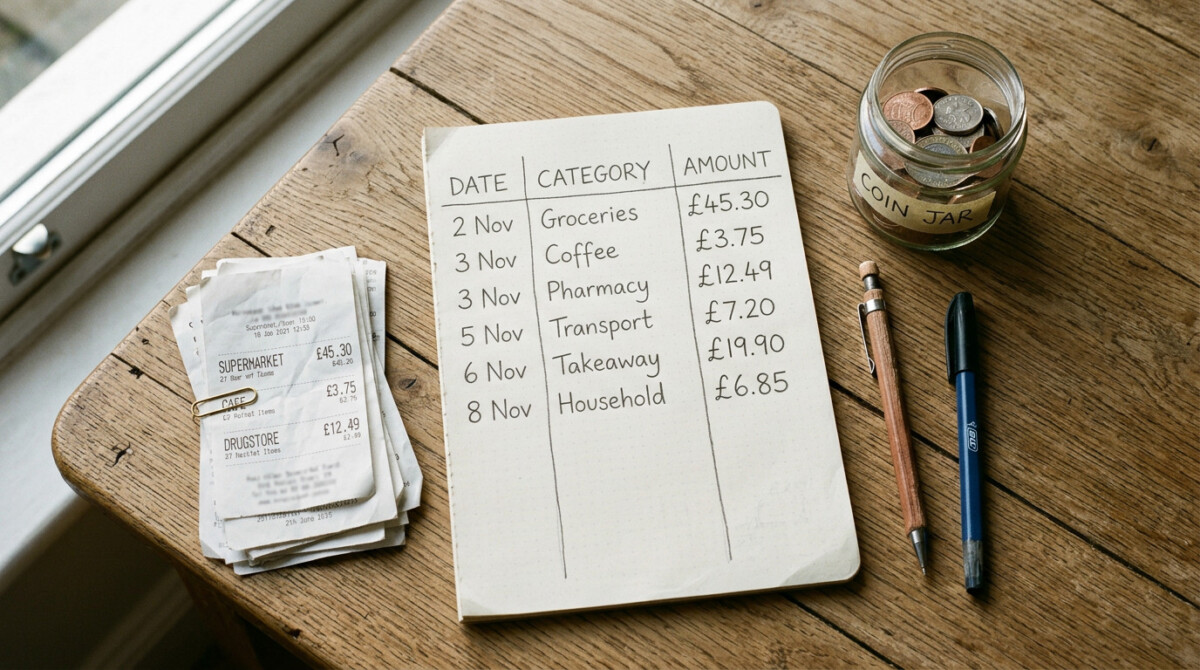
Keep every receipt. Not organized, not sorted — just dropped into one jar, box, or folder as it happens. Once a week, empty it out and add the totals to a single sheet of paper.
This was my first method, and it’s still the one I recommend to anyone who’s never tracked spending before, because it requires zero decisions in the moment. You don’t need to categorize anything while you’re standing in line. You just need to not throw the receipt away.
The catch: it only catches purchases that generate a receipt. Digital subscriptions, transfers to friends, and anything paid by tap-to-pay without a printed slip will slip through. Pair it with a quick look at your card statement once a week to catch what the jar misses.
Method 2: The pocket ledger (best for people who want real-time awareness)

Carry a small notebook and write down every purchase the moment it happens — amount and a two- or three-word description, nothing more. “Lunch $14,” “gas $38,” “birthday gift $22.” No categories, no math, just a running list.
This is the method that changed my behavior the most, and it’s also the hardest to stick with, because it demands a habit at the exact moment you’re least inclined to slow down: mid-checkout. What made it stick for me was keeping the notebook somewhere I’d physically touch it anyway — tucked inside my wallet, not in a bag or a drawer.
The friction is the feature here. Writing “coffee $6” for the third time in a week does something an auto-logged transaction never will.
Method 3: The weekly statement review (best for people who hate carrying anything)
Skip real-time tracking entirely. Once a week — same day, same time — pull up your bank and card statements online and write your spending onto a single page, organized by category. Fifteen minutes, one sitting, done.
This is my current go-to way to track your spending without an app: I use it now, three years in, because I no longer need the mid-purchase friction of the pocket ledger — the awareness carried over even after I stopped writing things down in the moment. It’s also the easiest method to recommend to someone who’s tried an app before, because the actual act of tracking looks almost identical: you’re looking at a screen full of transactions. You’re just doing it in a spreadsheet or on paper instead of inside an app that also wants your attention for a dozen other features.
What a real tracking week looks like
Here’s an actual week from my current statement-review method, lightly rounded. I’m including it because most examples online are suspiciously clean, and a real week never is.
| Day | Item | Amount | Category |
|---|---|---|---|
| Mon | Groceries | $61 | Food |
| Mon | Gas | $41 | Transport |
| Tue | Coffee (x2) | $11 | Food |
| Wed | Pharmacy | $23 | Household |
| Thu | Takeout — didn’t feel like cooking | $34 | Dining out |
| Fri | Birthday gift for a coworker | $25 | Gifts |
| Sat | Farmers market | $28 | Food |
| Sat | Movie tickets | $32 | Fun |
| Sun | Nothing logged | $0 | — |
| Week total | $255 | ||
Nothing dramatic. That’s the point. Most weeks look this ordinary, and seeing them written down — $11 on two coffees, $34 because I didn’t feel like cooking — does more to change next week’s decisions than any category budget ever managed to.
What breaks this habit (and how to fix it)
Three things have derailed me over the years, and each has a specific fix:
- Losing receipts. The receipt jar only works if the jar is somewhere you pass every day — by the front door, not in a closet. Move it before you blame the method.
- Forgetting mid-purchase. With the pocket ledger, I started setting a habit trigger: write the entry before I put my wallet away, not after. “After” never happens.
- Skipping a week of statement review. This is the one that actually kills the habit long-term. If I miss a Sunday, I don’t try to reconstruct two weeks from memory — I just start the new week clean and treat the gap as a loss, not a debt to repay. Trying to catch up perfectly is usually what makes people quit the whole system.
None of these are reasons to go back to an app. They’re just the normal friction of a habit, the same friction that makes people abandon New Year’s resolutions around week three. Expect it, and it stops being a reason to quit.
Turning a tracked week into a plan
Once you track your spending without an app for a few weeks, you’ll have real numbers instead of guesses. Tracking tells you where the money went, but it doesn’t tell you where it should go next month — that’s a separate step. Once you’ve got two or three weeks of real numbers on paper, they’re exactly what you need to build a budget from scratch or set up zero-based budgeting, both of which depend on knowing what you actually spend rather than what you assume you spend.

If you’d rather see federal guidance on categorizing expenses before you build a plan around your numbers, the CFPB’s budgeting worksheet uses roughly the same category breakdown as the table above, and it’s free and ad-free. The USA.gov money-management hub is another decent, non-commercial starting point if you want more structure than a blank page gives you.
FAQ: how to track your spending without an app
Is it realistic to track your spending without an app in 2026?
Yes. The three methods above — receipt jar, pocket ledger, weekly statement review — require nothing but paper and access to your online banking, which almost every bank already provides for free without a third-party app in between.
Which method catches the most spending?
The weekly statement review is the most complete, since it pulls directly from your bank and card records rather than relying on you to remember or keep every receipt. The receipt jar and pocket ledger are better for building real-time awareness but can miss digital or tap-to-pay purchases that don’t generate a physical receipt.
How much time does this actually take each week?
Ten to fifteen minutes for the weekly statement review. The receipt jar and pocket ledger take seconds per transaction throughout the week, plus about ten minutes to total everything up once.
What if I miss a week?
Start the new week clean rather than trying to reconstruct the missed one from memory. Treating a gap as a debt to repay is the most common reason people abandon manual tracking altogether.
Do I need to categorize every purchase?
No. A running list with amounts is enough to build awareness. Categories help later, once you’re using the numbers to build a budget, but they’re not required to get value from tracking.
Pick one method and give it two weeks
You don’t need all three methods to track your spending without an app successfully — running all three at once is a faster way to quit than skipping a week ever was. Pick whichever matches how you already move through a day: the jar if you pay mostly in card swipes and receipts, the pocket notebook if you want the habit to change your behavior in the moment, or the weekly review if you’d rather do it all in one sitting with tea.
Two weeks in, you’ll have something no app ever gave me on day one: a page, in your own handwriting, that shows exactly where the money actually went.
Next in this series: if you decide you do want an app after all, here’s how the free options actually compare.